Most advice on the systems administrator vs network administrator question repeats the same recommendation: treat the two as interchangeable, apply to both, and let the first offer decide. That advice suits job boards. It serves candidates badly.
The labels are unreliable in both directions. An employer advertising a network administrator may want someone who spends the week on endpoint management, single sign-on, and multi-factor rollouts. A systems administrator posting can turn out to be three-quarters routing, switching, and firewall policy. Choosing a title tells you very little about the Tuesday you'll have.
This guide takes the opposite approach. Read the posting as a list of tasks, count how many are host-focused and how many are path-focused, then specialize in the work you want to own rather than the words on the badge. The title is the least informative line in the advertisement.
Table of Contents
- Systems and Network Administrator Side by Side
- What a Systems Administrator Owns Day to Day
- What a Network Administrator Owns Day to Day
- Reading Job Postings and Titles to Tell the Roles Apart
- Certifications, Pay and Outlook for Each Path
- Choose the Role That Fits Your Next Move
Systems and Network Administrator Side by Side
The shortest accurate version: a systems administrator keeps servers, operating systems, accounts, backups and the services built on them running, while a network administrator keeps the paths between those systems working, covering routers, switches, firewalls, DNS, DHCP and VPN. One owns the host. The other owns the route to it.
| Criteria | Systems Administrator | Network Administrator |
|---|---|---|
| Primary scope | Hosts, operating systems and the services running on them | Connectivity between hosts, sites and users |
| Typical assets | Physical and virtual servers, storage, user accounts, backups | Routers, switches, firewalls, load balancers, wireless access points |
| Core services | Directory and identity, file and print services, server-hosted DNS | TCP/IP, DNS, DHCP, routing protocols, VPN |
| Metrics the team watches | Uptime, backup success rate, patch latency, time to restore | Latency, packet loss, link utilization, failover time |
| Typical skills | Linux or Windows server administration, scripting, virtualization | Routing and switching, firewall policy, network troubleshooting |
| Common certifications | Red Hat RHCSA, CompTIA Linux+ | Cisco CCNA |
The table describes the typical shape of each role, and individual employers redraw the columns all the time. DNS, security and cloud networking sit on both sides of the line, and plenty of real jobs straddle it.
That overlap is why the Bureau of Labor Statistics counts both under a single classification. The BLS category for network and computer systems administrators reported 323,600 jobs in 2025, a median annual wage of $99,130 (or $47.66 per hour), and a bachelor's degree as the typical entry-level education. Those figures describe the combined labor category, covering servers, operating systems, user access, network devices and operational reliability together, so a page that splits them into a tidy systems administrator salary and a separate network administrator salary is inventing the split.
Where the titles blur
One employer calls server-focused work systems administration, another calls the identical work infrastructure administration, and a small shop hands one person both columns because there is nobody else to call. The skill base blurs the same way. Networking fundamentals such as TCP/IP, DNS, routing, switching and security matter on both paths, while the systems side layers operating systems, virtualization, identity, storage and server administration on top.
The metrics are the clearest tell. If a bad week gets measured in uptime, backup success rate, patch latency and time to restore, that is systems work. If it gets measured in latency, packet loss, link utilization and failover time, that is network work.
A systems failure takes a service down. A network failure cuts users off from it. That difference decides what a bad day looks like, and which one is worth being paged for at 2am.
What a Systems Administrator Owns Day to Day
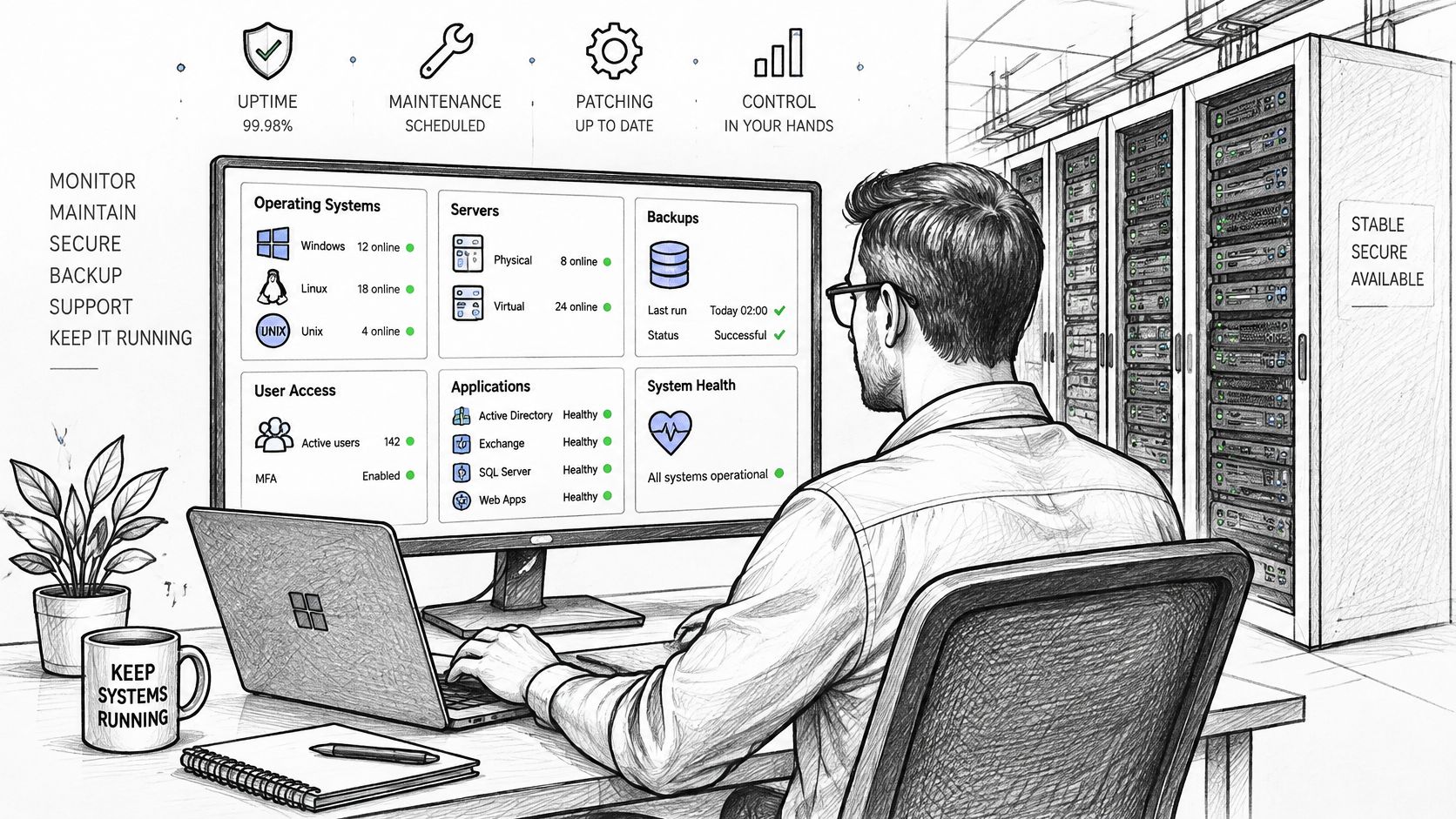
A systems administrator is accountable for the availability and integrity of a compute environment: operating systems, physical and virtual servers, application software, backups, user access, system logs, scheduled jobs and resource consumption. The Bureau of Labor Statistics description of the occupation turns that accountability into a checklist: verify hardware, network and server-resource availability, review logs, confirm scheduled jobs and backups completed, install software, manage licensing and control access.
The dashboard view is the whole job in one screen. Uptime on one panel, backup status on another, and a patch queue that never quite empties.
The shift in order
Experience reorders the checklist. The sequence below is close to how a competent administrator runs a day.
- Availability first. Confirm hosts and services answer before reading anything else, because a dead service makes every other check academic.
- Logs second. Skim for repeated errors rather than reading line by line, and watch the services that changed in the last patch window.
- Jobs and backups third. A scheduled job that stopped completing is the most common quiet failure in this role.
- Software and licensing fourth. Track installations against entitlements so an audit doesn't turn into a surprise budget line.
- Access last, and carefully. Adding and removing accounts is routine until someone keeps credentials they shouldn't after a role change.
One failed backup, start to finish
Take the most common incident on this side: the nightly backup of a file server reports a failure. The job log names the cause. Before rerunning anything, the administrator checks storage capacity on the target volume and the last known good restore point. If capacity caused the failure, the fix is retention policy or a volume change, not a second attempt at the same job. Once the job completes, the ticket stays open until a sample file has been restored to a scratch path and opened successfully. A backup that has never been restored is a hope, not a recovery plan.
Metrics that show the work
Teams that run this discipline well track server and service uptime, backup success rate, recovery-point and recovery-time objective compliance, patch latency, CPU, memory and storage saturation, and mean time to restore service. Those numbers describe the workload, not the person, which is exactly why they make strong interview answers: they show an administrator thinks in recovery targets rather than in tickets closed.
Routine work is increasingly automated. The same occupational profile notes that administrators diagnose incidents from user alerts or automated monitoring and increasingly automate routine tasks, which makes scripting, configuration management and observability the practical differentiators between two candidates with identical titles. The Linux system administrator career path is built almost entirely on those three skills. The scope comparison still holds: this role optimizes the behavior and recoverability of workloads running on infrastructure, not packet delivery across it.
What a Network Administrator Owns Day to Day
Flip the scope and the job changes character. A network administrator is accountable for the paths between hosts, sites and users: the links, the addressing that identifies endpoints, the routing that picks a way through, and the policy that decides what is allowed to cross. The work shows up as configuration on routers, switches, firewalls, wireless access points and VPN endpoints, and as the change records that justify every edit.
Four task families fill most of the week.
- Addressing and name resolution. Plan IP ranges and DHCP scopes so nothing collides, keep DNS records honest, and fix the resolution failures users describe as "the internet is down" when the internet is fine.
- Routing and failover. Keep site-to-site routes correct, hunt asymmetric paths that break stateful firewalls, and prove a secondary link carries traffic before the day it's needed.
- Policy and segmentation. Split networks by function, write firewall rules and access lists narrowly, and push every rule change through approval with a documented rollback.
- Remote access. Maintain VPN concentrators and client profiles, put multi-factor authentication on the edge, and remove accounts that no longer belong there.
The troubleshooting toolkit
Network diagnosis is the discipline of proving where traffic stops. Traceroute shows the path and the hop that fails to answer. Ping separates a dead host from a dead route. Interface counters reveal errors, discards and saturation on one specific link. Packet capture taken at the right vantage point settles arguments logs can't. Firewall logs and route tables explain why a connection was refused rather than merely lost. Owning the tools isn't the skill. Choosing the vantage point is.
A branch office loses a cloud application
Say a branch reports that one cloud application won't load while everything else there works. Order matters. Check WAN link utilization first, because saturation is common and cheap to confirm. Then the VPN tunnel state, then the route table for that specific destination, then the DNS answer the branch receives, then firewall logs for drops on the port in question. Only after those five checks does anyone need to open a ticket with the application owner. Reverse the order and a team can burn an afternoon proving a server is healthy.
What the team watches
The operational metrics on this side are latency, packet loss, jitter, link utilization, failover time and mean time to isolate a fault. Fault isolation time is the one that separates strong network people from adequate ones, because everything downstream of a wrong diagnosis costs more.
Cloud networking extends the same work past the office wall. Virtual networks, security groups, route tables and private connections are configured by the same people who once only touched physical switches.
A fair self-test: if tracing where traffic stops and why sounds like a good afternoon, the network side will hold your attention. If it sounds like a chore, the systems side probably will.
Reading Job Postings and Titles to Tell the Roles Apart
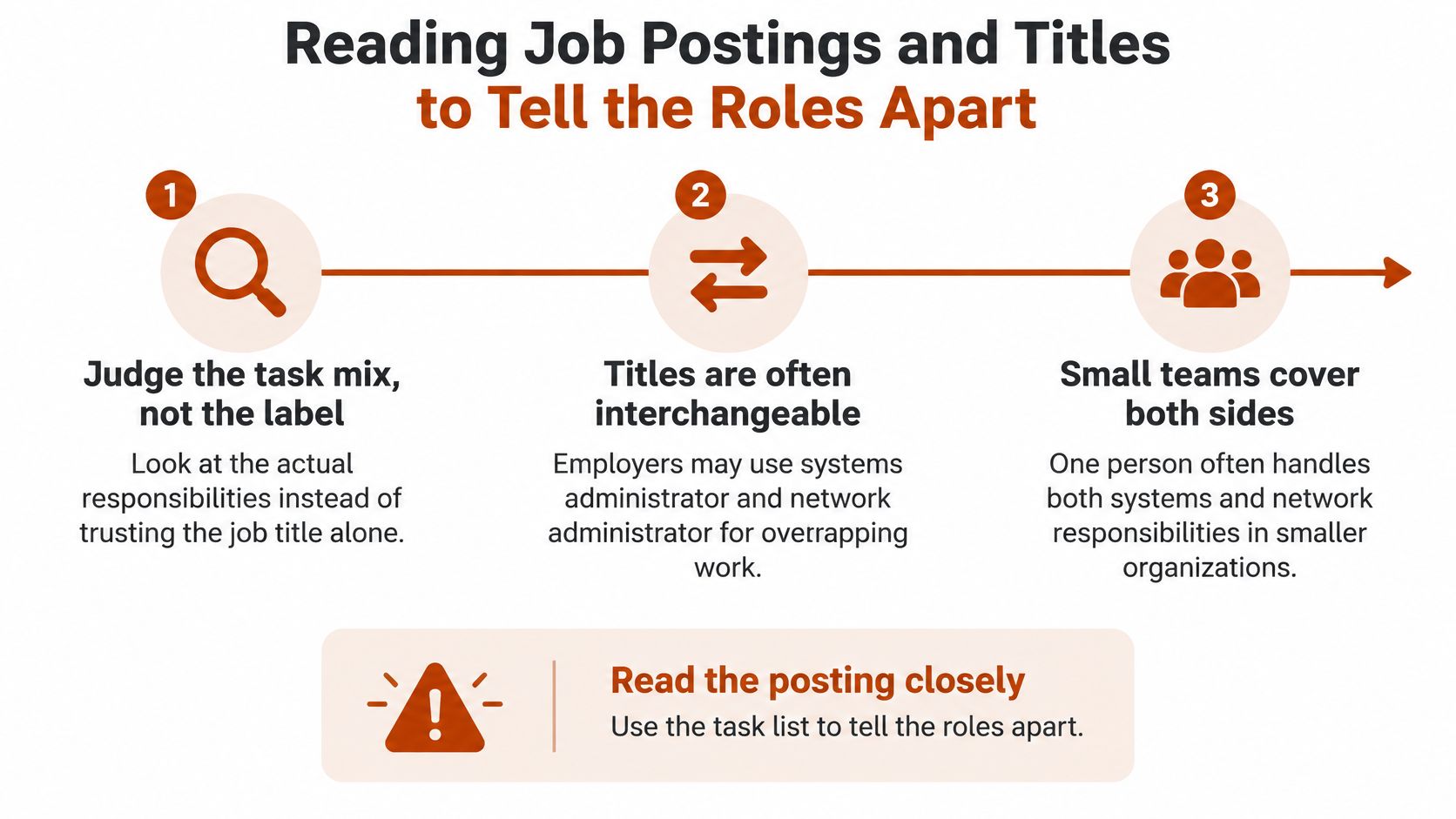
The title is the least reliable line in the whole posting. Employers use systems administrator and network administrator interchangeably, small teams put one person on both sides, and the only dependable signals are the duties listed, the tools named and the on-call expectations attached.
The split between the roles is operational, and it comes from what each team operates. Systems administration grew around the hosts themselves: operating systems, accounts, storage, applications, backups and service availability. Network administration grew around moving data between those hosts: addressing, routing, gateways and name resolution. A posting that leads with firewall rules and private connections is describing path-and-policy work even when the title says systems. One that leads with patching, restores and account management is host work even when it says network.
What a posting reveals in its first three duties
Recruiters write duties in priority order, so the first three lines describe the job you would really do. The signals below are the ones worth scanning for before you tailor a single line of your CV.
| Posting signal | What it usually means | Question to ask in the interview |
|---|---|---|
| Servers, OS patching, backups, user accounts | Systems work focused on hosts and services | How do you measure and test a restore? |
| Routers, switches, firewall rules, routing protocols | Network work focused on paths and policy | Which change approvals apply to firewall rule changes? |
| Intune, endpoint management, SSO, MFA | Systems work with an identity and endpoint focus | What share of the team's tickets are endpoint related? |
| VPC design, transit gateways, private connections | Cloud networking, leaning toward the network side | Who owns the route tables and who approves changes? |
| Terraform, Ansible, scripting | Automation-heavy role that could sit on either side | Which tasks are still done by hand? |
| On-call for user-facing outages | Likely systems if most pages are service outages, network if most are link and routing failures | What were the last three pages about? |
The five-step check
- List the top five duties in plain words, one per line, stripping out the adjectives.
- Count them. How many mention servers, operating systems, backups or accounts, and how many mention routing, switching, firewalls or wireless?
- Ask what the on-call rota covers. A rota that pages on service outages is systems work whatever the advert claims.
- Ask what share of tickets involve endpoints, identity or cloud. That percentage tells you where the team's time goes.
- Ask what the last outage was and who fixed it. The answer names the boundary between teams better than any org chart.
Specialization beats the title
Identity and endpoint management, infrastructure automation, cloud operations and network security all sit under either label, so the specialization you choose matters more than the title you carry. A posting titled network administrator that lists Intune, SSO and MFA first is an endpoint and identity job wearing a network badge. Take it expecting routing and your first year goes to device compliance instead.
A mismatch surfaced in an interview tells you more than the title on the offer letter. Run the checks before you accept.
Certifications, Pay and Outlook for Each Path
Both paths start in the same place: support work. The entry role is IT support or help desk, where CompTIA A+ is the standard first certification, and Mojolin's IT support specialist page notes that no prior experience is required to enter the role. From there the ladder is similar on both sides. Almost nobody is hired straight into an architect job. The usual route runs from help desk or network support to administrator or engineer, then senior engineer, then architect.
Credentials by path
The prices, exam times and validity periods below are the ones listed on Mojolin.
| Credential | Path | Price | Exam time | Valid for |
|---|---|---|---|---|
| Cisco CCNA | Network | $300 | 120 minutes | 3 years |
| Red Hat RHCSA | Systems, Linux | $500 | No exam time published | 3 years |
| CompTIA Linux+ | Systems, Linux | $399 | 90 minutes | 3 years |
| Certified Kubernetes Administrator | Systems and platform | $445 | 120 minutes | 2 years |
| CompTIA Security+ | Either, security focus | $439 | 90 minutes | 3 years |
The CCNA is a common early milestone on the network side, and cloud networking knowledge from AWS, Azure or Google Cloud is now expected for most architect roles. The systems side leans on Linux credentials, with the RHCSA and Linux+ covering administration fundamentals, while the CKA adds container orchestration for platform teams. Security+ is the one that travels in both directions. For cloud-specific work, the AWS Certified Solutions Architect – Associate has no required prerequisite and recommends at least a year of hands-on experience designing solutions on AWS.
What the labor market actually says
The Bureau of Labor Statistics reported that employment of network and computer systems administrators changed by -2.6% between 2023 and 2033, according to its occupational projections data. A modest decline in a combined category isn't a verdict on either path. It reflects consolidation, automation and cloud migration moving work around inside one occupation, and it means headcount isn't expanding fast enough to carry a candidate on the title alone. The category is combined, so public data won't hand you separate systems and network wage figures. Weigh credentials by the work you want instead of by a split that doesn't exist in the statistics, and check cross-role context in this tech salaries by role comparison.
The one-credential rule: pick the certification that matches the path being pursued, pass it, then build a lab project that proves the skill out loud in an interview. A stack of badges with no working lab convinces nobody.
Choose the Role That Fits Your Next Move
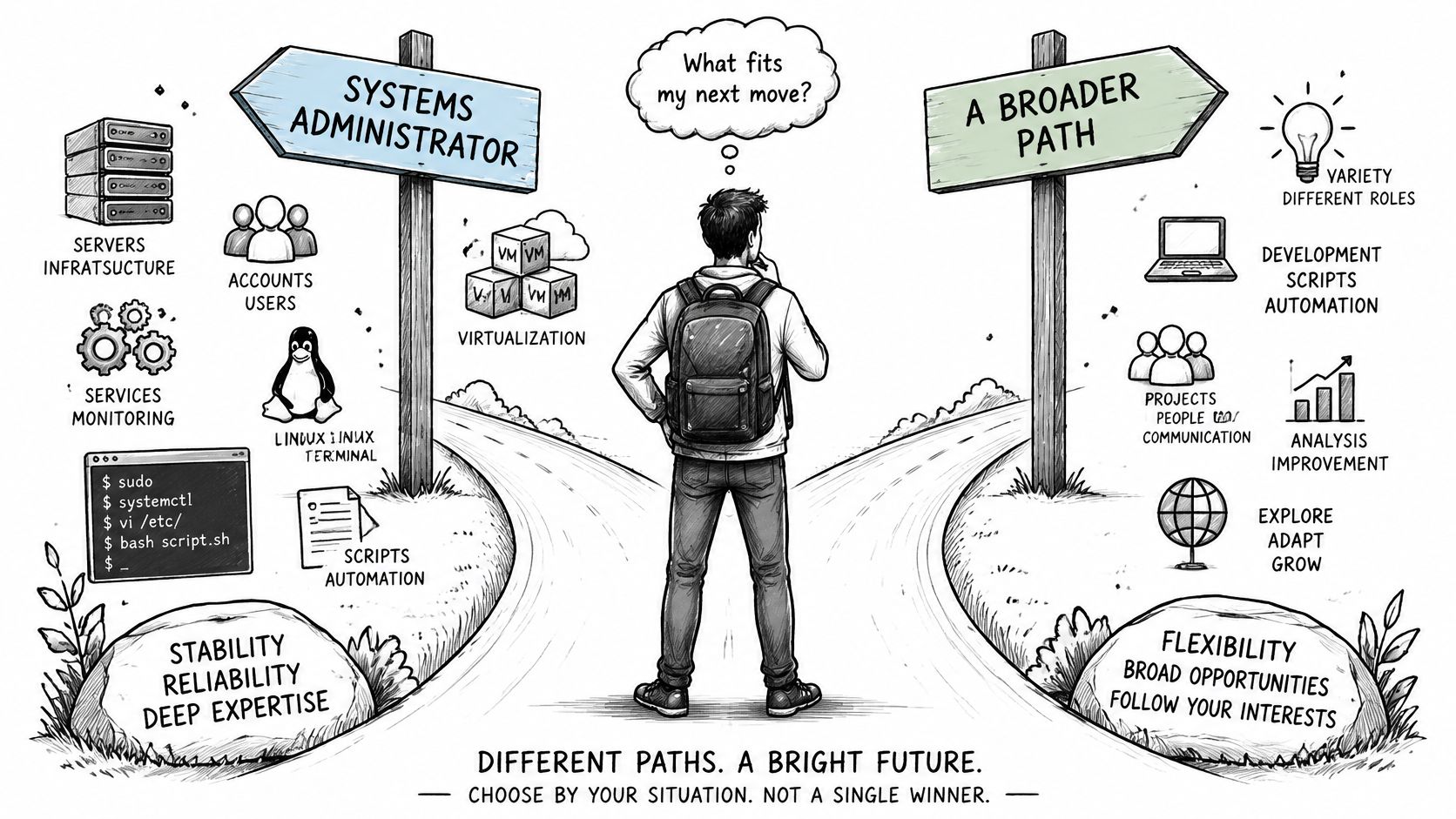
There's no single winner, and any guide naming one is selling something. The decision comes down to which failures you want to spend a career diagnosing.
The fork is real, but narrower than the titles suggest, because teams expect overlap at the edges either way.
If owning the service end to end appeals
Start on the systems path: Linux or Windows server administration, scripting, virtualization, then automation early. Build a home lab with a hypervisor, two hosts and a backup you restore from. That single project answers more interview questions than any course completion badge.
If tracing the path appeals
Start on the network path: routing and switching fundamentals, then the CCNA, then cloud networking. If the CCNA is the plan, this assessment of whether the CCNA is worth it covers what the credential proves and what it doesn't.
If support work is the current job
Use it as the test. Note which tickets you want to keep solving and which you hand off gladly, then read the pattern after a month. Mojolin publishes guides such as Entry-Level IT Jobs: Starting in Help Desk and Moving Up and Are IT certifications worth it? When they help and when not, both of which cover that transition. Promotion on either route depends more on the scope you own than on the title you hold.
The next four steps
- Decode two live postings using the five-step check, and write down the host-versus-path count for each.
- Choose one credential that matches the path the count points to.
- Build a lab project that proves the skill, and be ready to walk through it.
- Revisit the choice after six months of real work, when the on-call rota has told you the truth.
Choose the work you want to own, not the label on the badge.
Mojolin is an independent reference publication about work, pay and the software teams use, and its careers coverage includes sourced figures on pay, employment and outlook for technology roles plus independent IT certification comparisons. If the systems administrator vs network administrator choice is still open, its data on administrator pay and certification costs is a practical check before booking an exam. Visit Mojolin to compare the numbers behind each path.